





 Make us preferred on Google
Add Sei Network to MetaMask
- Sign in to https://chainlist.org/ with your MetaMask wallet.
- Search for Sei and confirm the chain ID (1329).
- Click Add to MetaMask.
Key Takeaways
- Sei Network is a Layer 1 focused on speed and efficiency and optimized for trading, and has recently launched Sei V2, which claims to be the first parallelized EVM blockchain.
- You can now add Sei Network to MetaMask through the button on the official Sei docs, manually entering the RPC details, or searching through ChainList.
- You can also link your Sei native and EVM-compatible wallets to the same Sei account and use them interchangeably.
Add Sei Network to MetaMask Through Sei Docs
You can now add Sei V2 to your MetaMask wallet, manage your assets on the network, and access Sei V2 dApps using your MetaMask.
-
Click Connect Wallet.
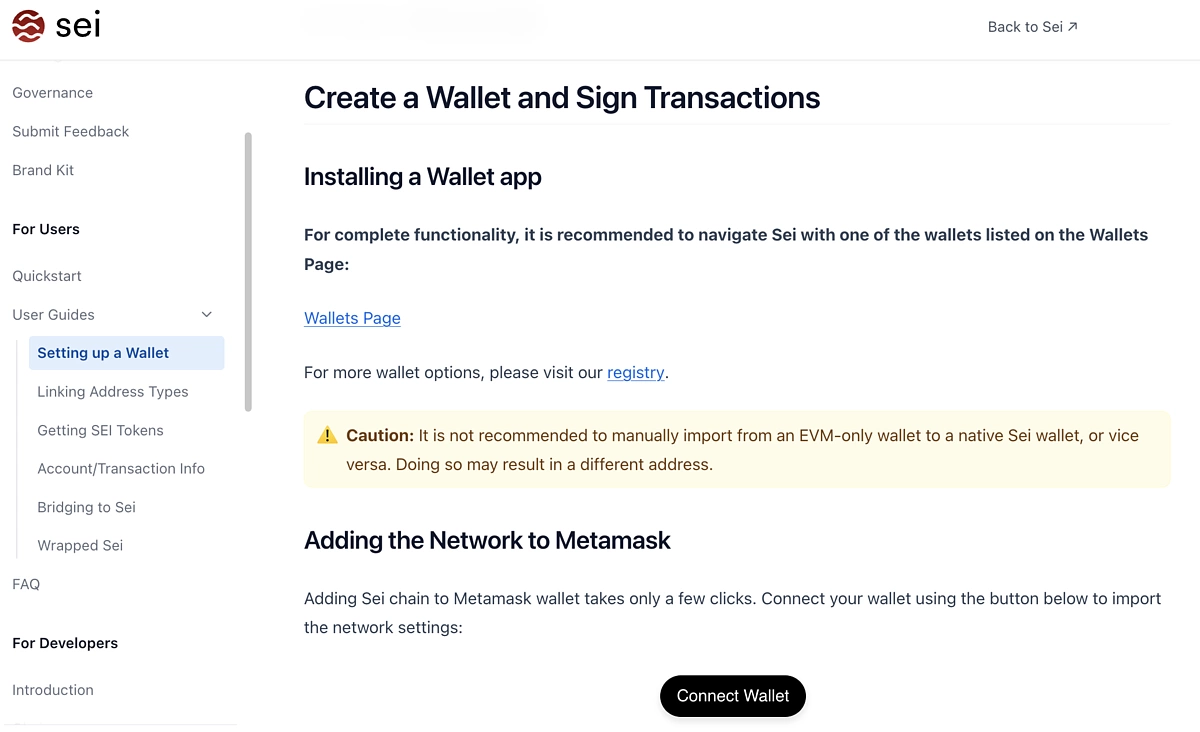
-
Click MetaMask.
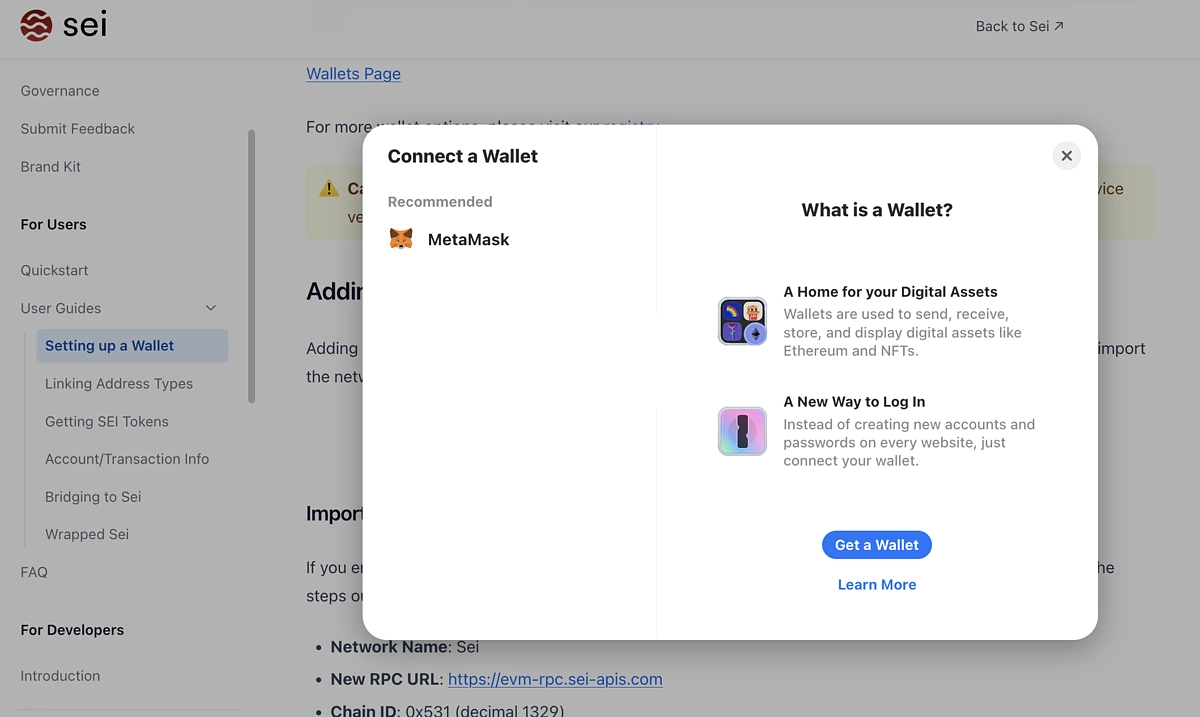
-
Select accounts to connect to Sei.
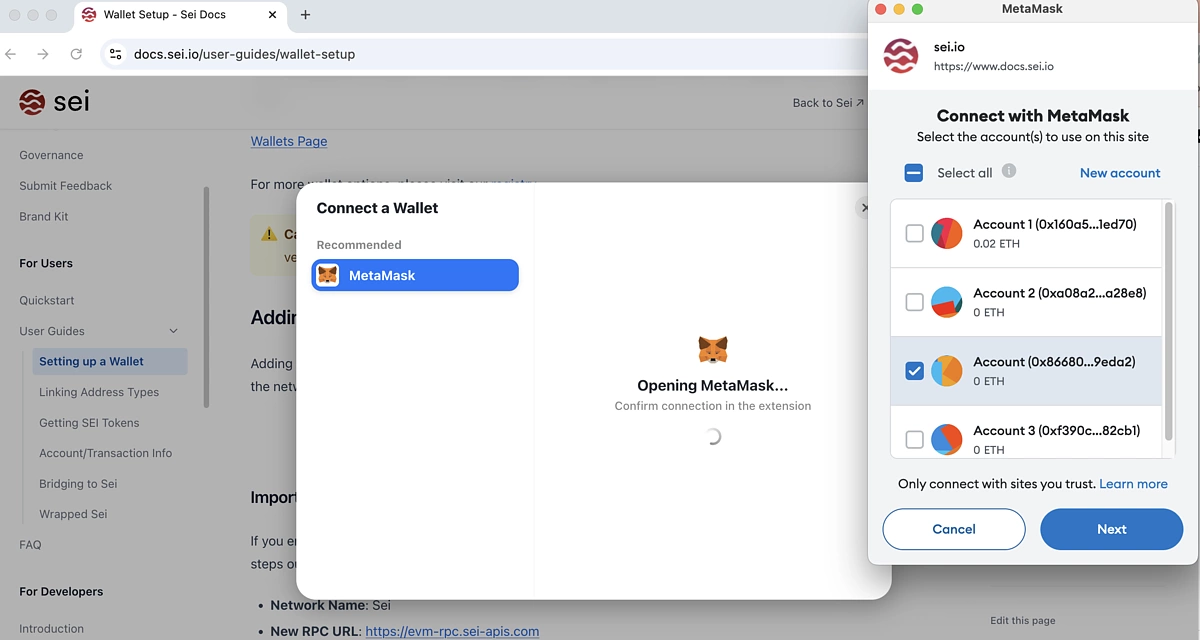
-
Grant permissions and allow Sei to add a network.
Add Sei Network to MetaMask Using RPC Details
You can also add Sei Network to your MetaMask wallet manually using the network’s RPC details;
-
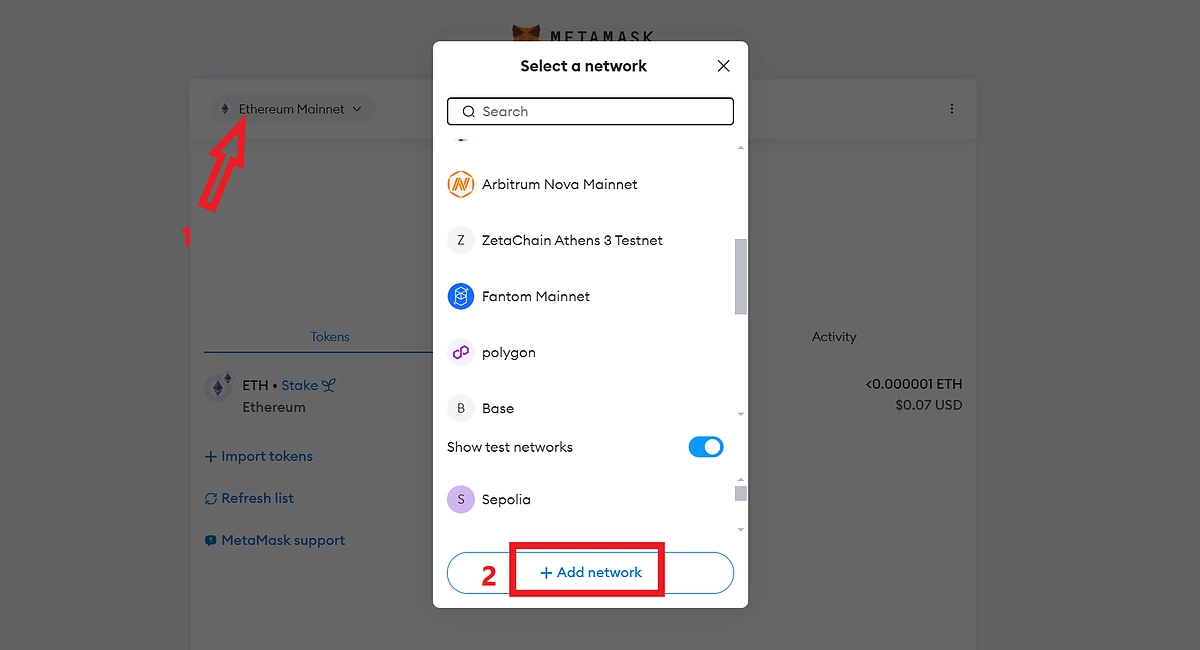
Click on the network tab at the top left corner of your MetaMask wallet.
-
From the network area, click Add Network to proceed.
-
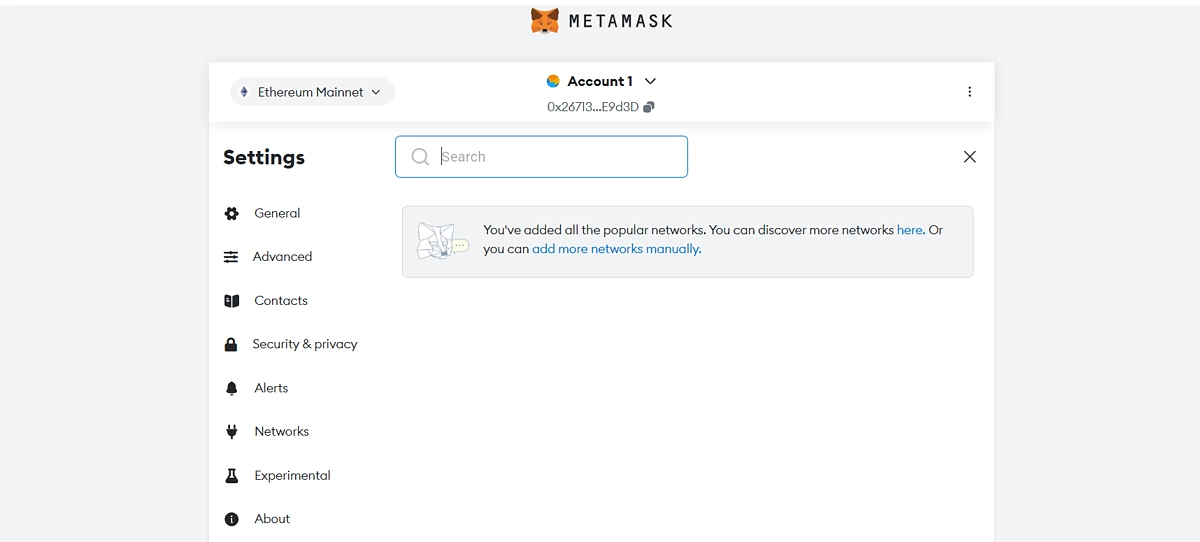
On the next page, click Add More Networks Manually.
-
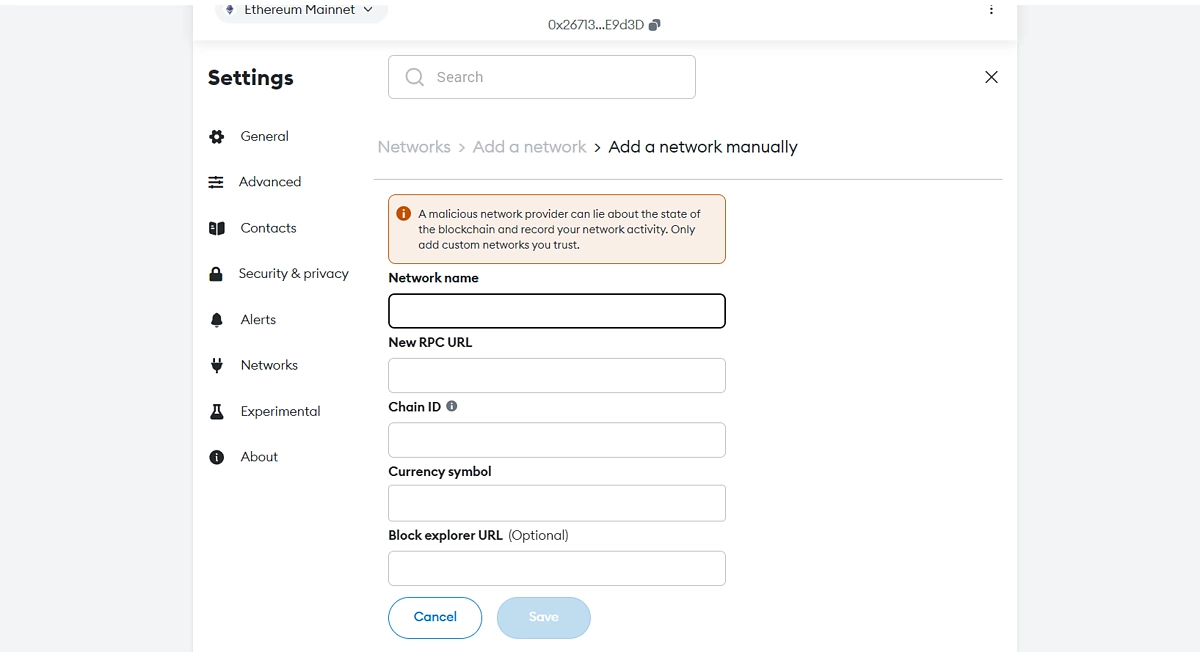
You will be presented with a form where you can input the network details.
-
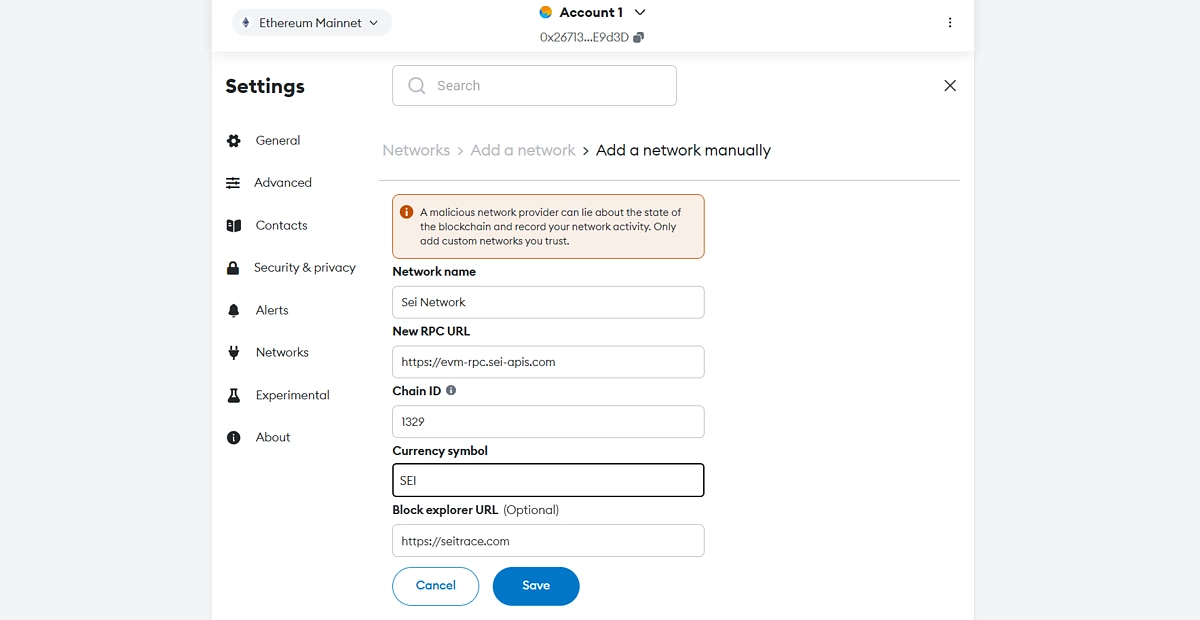
Enter the following details as indicated in the boxes.
-
Network Name: Sei Network
-
Network URL: https://evm-rpc.sei-apis.com
-
Chain ID: 1329
-
Currency Symbol: SEI
-
Block Explorer URL: https://seitrace.com
-
Click Save to complete.
Sei's EVM network is now added to your MetaMask wallet. You can now view and manage your assets on the network.
Add Sei Network to MetaMask With ChainList
Another way to add Sei Network to your MetaMask is via Chainlist. Chainlist is a collection of active EVM networks that allows users to add networks to their wallets in a few clicks.
To add Sei Network to your MetaMask wallet with ChainList:
-
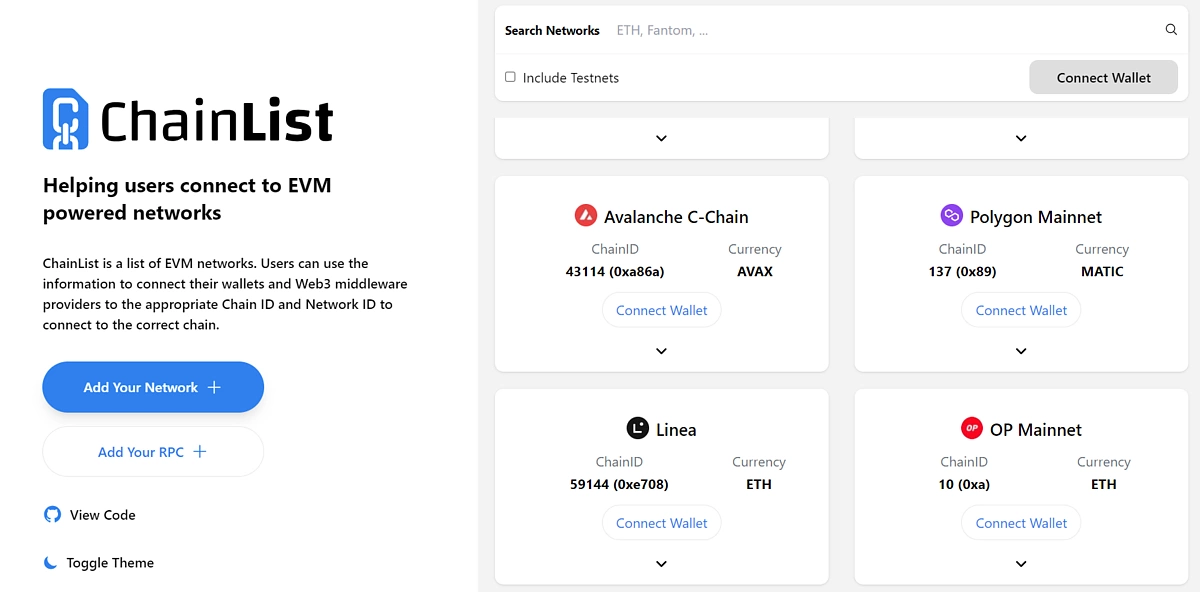
Visit the Chainlist platform at chainlist.org.
-
From the dashboard, click Connect Wallet from the top right corner and follow the prompt on your wallet to connect to the platform.
-
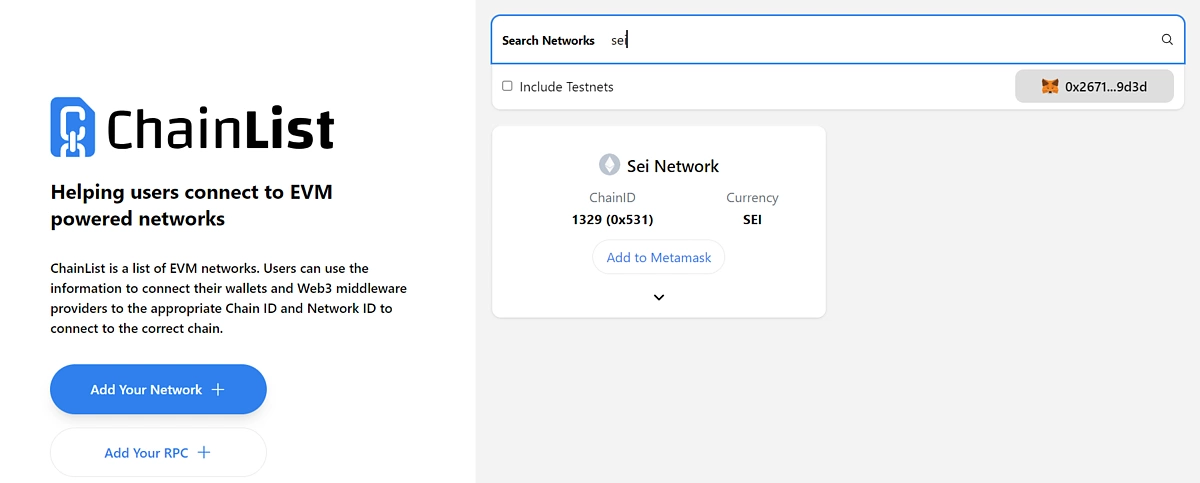
Enter ‘sei’ in the search box to find Sei Network.
Review the search results to select the correct Sei Network (Chain ID: 1329).
-
Once you've identified the correct network, click Add to MetaMask to continue.
-
Approve the transaction request from your wallet to proceed.
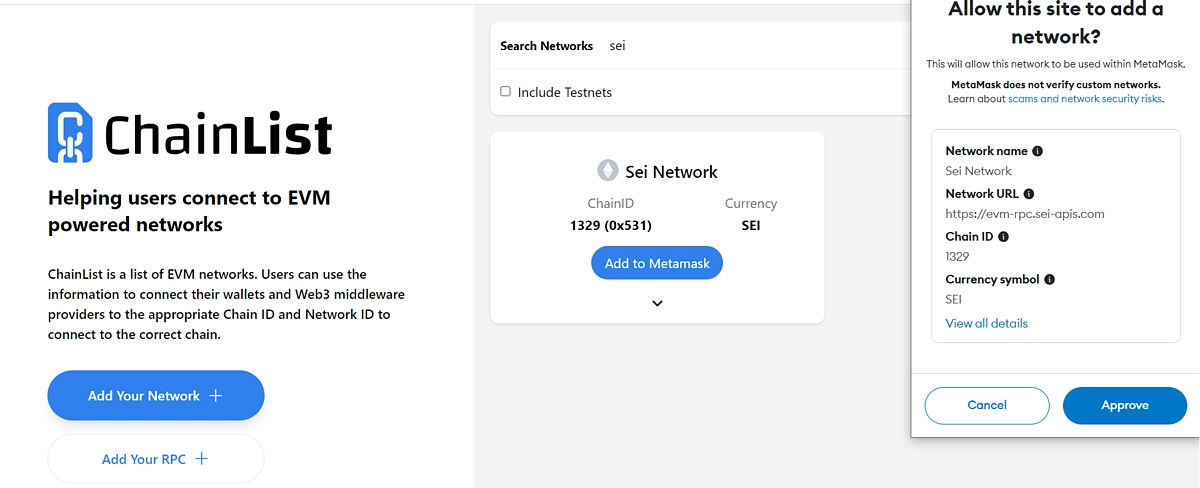
Sei Network will now be added to your MetaMask wallet. You can now view and manage your assets on the network.
How to Link Your Sei and EVM Addresses
To use your EVM address alongside a native Sei address, you will need to link your wallet through the wallet-linking portal. To do this,
-
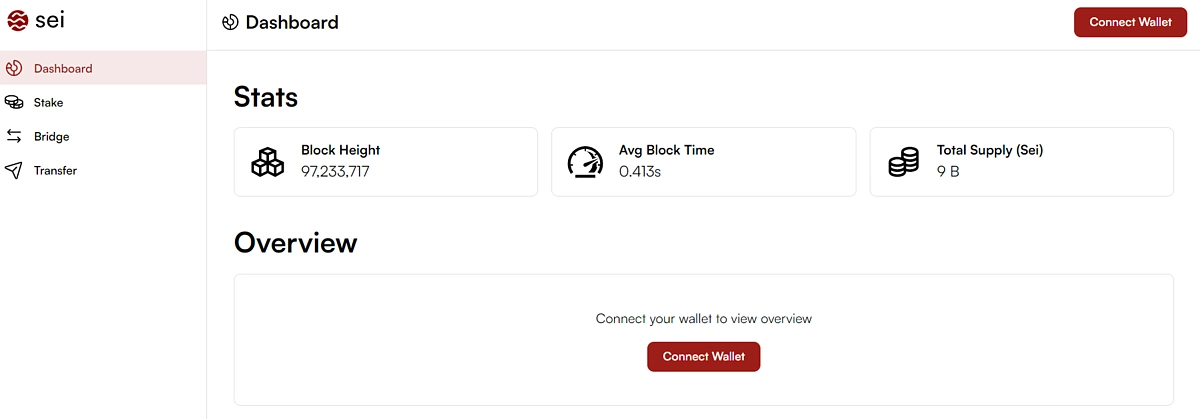
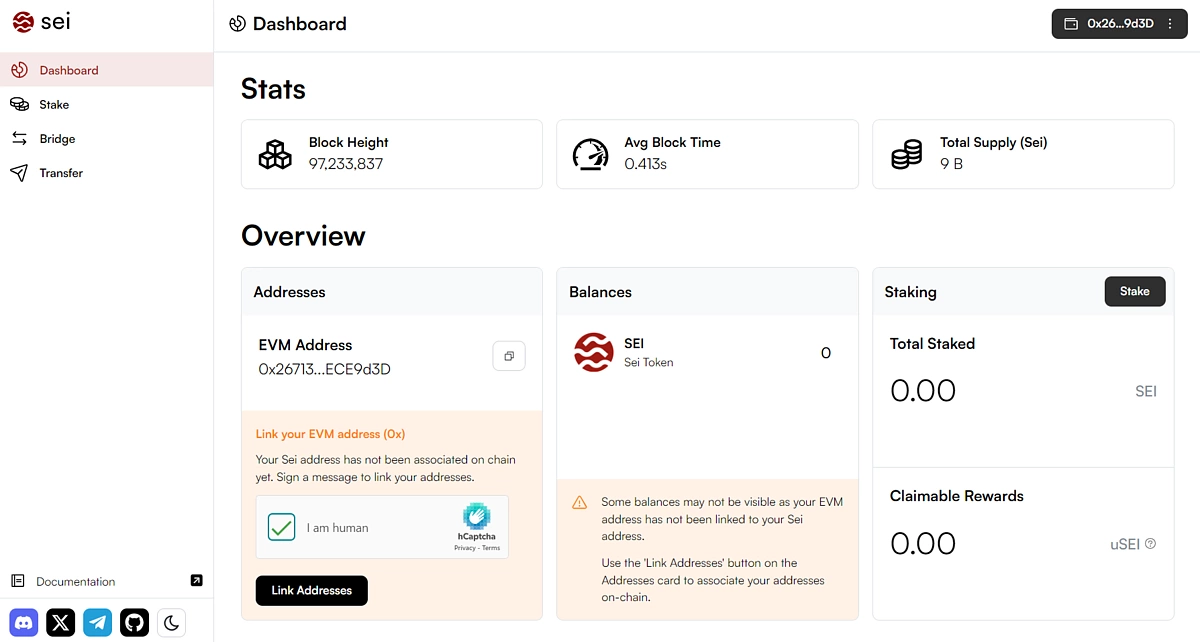
Visit the linking portal at https://app.sei.io/.
-
On the platform dashboard, click Connect Wallet to access your account overview.
-
Complete the captcha on the wallet-linking section to activate the Link Addresses button.
-
Click on Link Addresses to start the process.
-
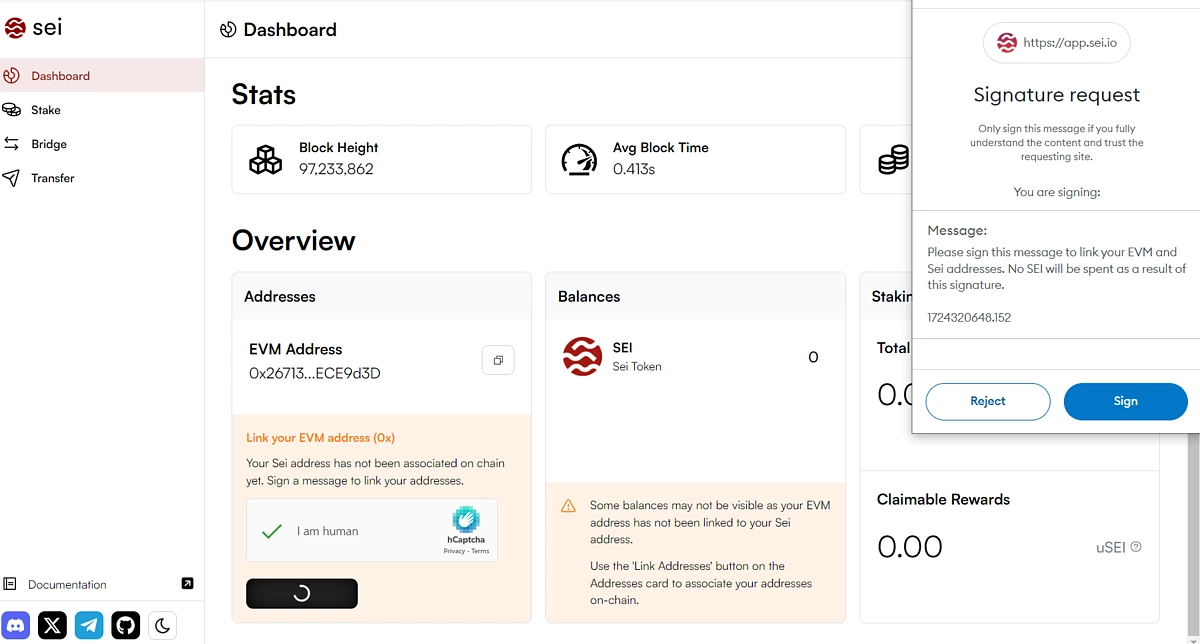
A prompt will be sent to your MetaMask wallet requesting you to sign a transaction. Approve the request to continue.
This is only a signing request to confirm your identity and doesn’t involve any charges.
-
After the linking process is completed your second wallet address will be shown.
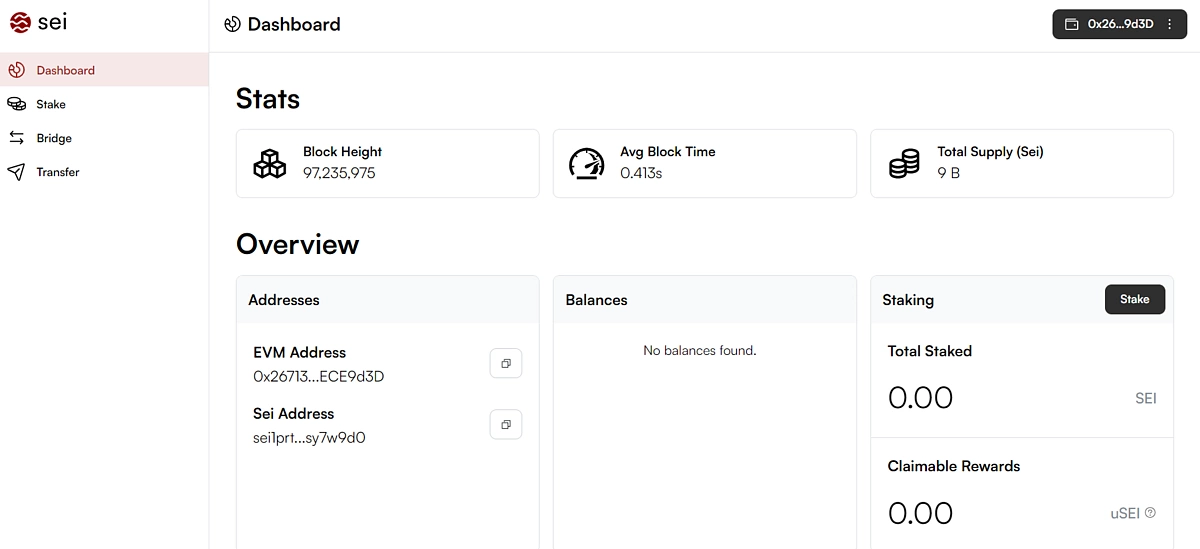
Note that both wallets are now connected to the same Sei account and can be used interchangeably.
You can now access both EVM and native Sei applications.
Connect to Sei Network dApps With MetaMask
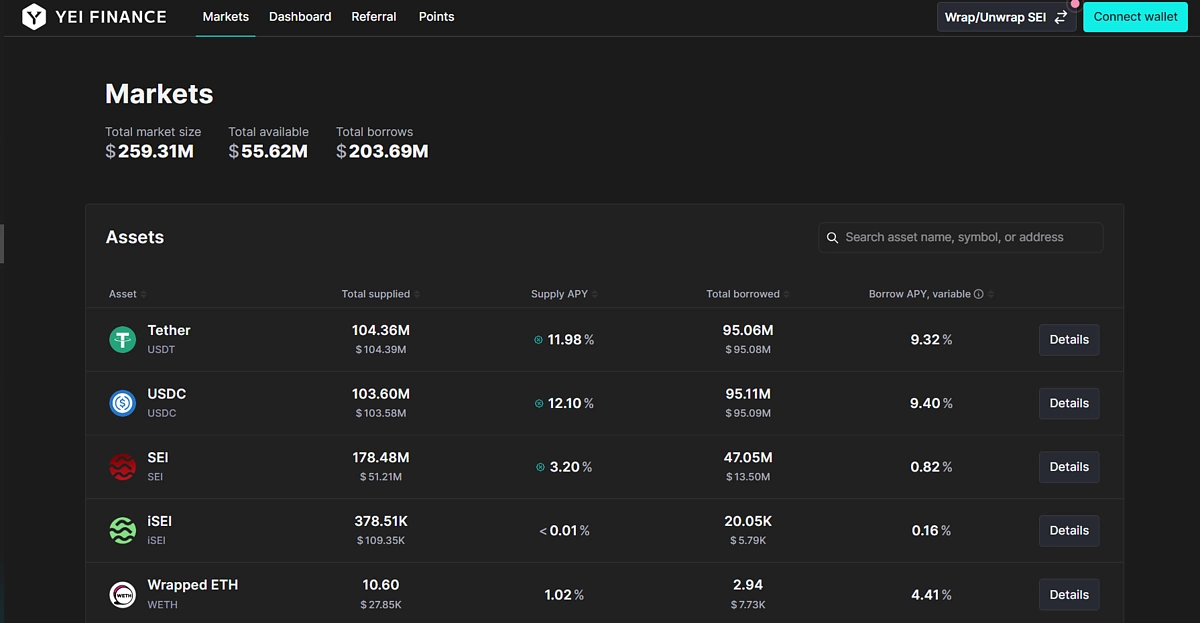
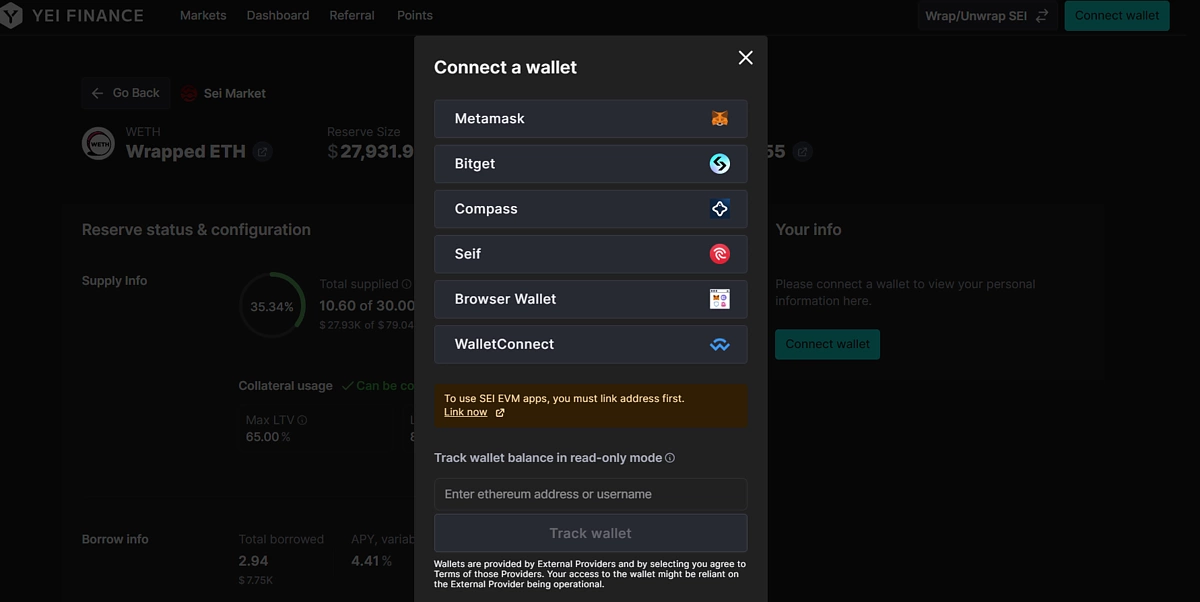
To demonstrate how to connect to an EVM Sei dApp using your MetaMask wallet, we will visit YEI Finance – a decentralized lending platform on the SEI network.
To connect to the application;
-
Visit the platform and click Connect Wallet from the dashboard.
-
Select MetaMask and approve the connection request to complete.
-
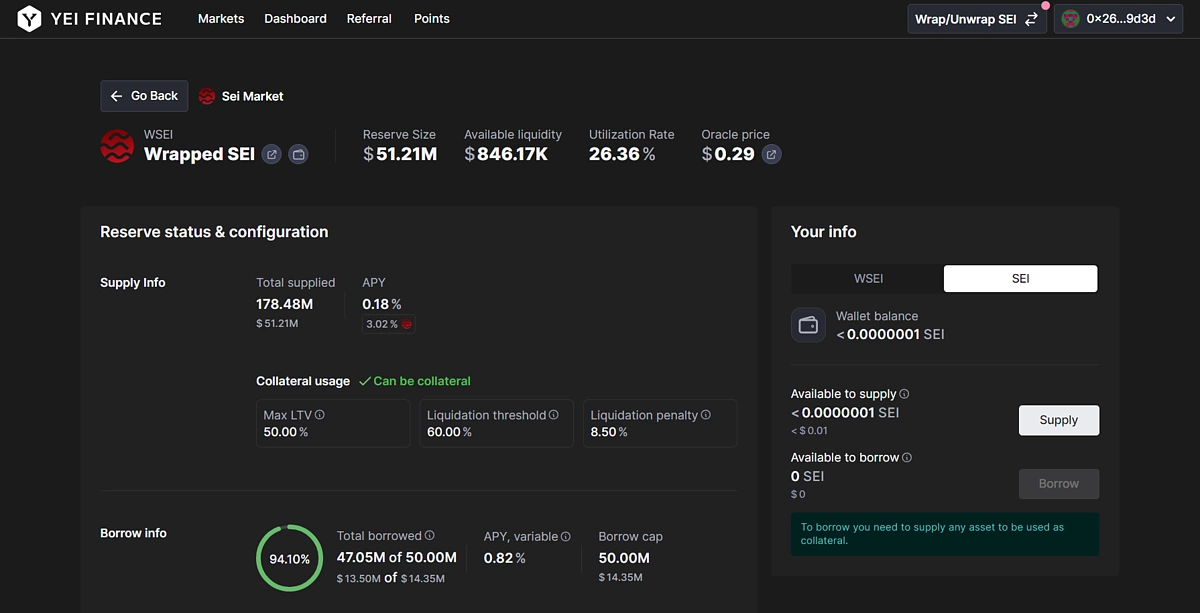
You can interact with the dApp as per normal, where requests for approval will be sent as a prompt to your MetaMask wallet.
FAQs on Connecting to Sei With MetaMask
As Sei Network is now an EVM blockchain with the launch of Sei V2, understanding the EVM side of the network and how it relates to the native Sei Network may be confusing. We’ll look at some common queries around EVM and Sei native addresses and transactions.
EVM vs. Sei Addresses
After linking your EVM wallet via the wallet-linking portal, you receive a second address; this is a Sei native address. Your EVM address (that starts with 0x) and SEI address (that starts with Sei1) are connected to each other. During the wallet creation process, the protocol generates a native SEI address using your wallet's public key.
Both addresses will still point to the same account on the Sei ledger. Depending on the application you are using, only one of the wallets will be shown, but your balances on both wallets will be the same and every transaction will be recognized. That is, if you are visiting a native Sei dApp, your Sei address will be automatically used, and your EVM address will be used to connect to EVM dApps. Both addresses can be used as the recipient address when transferring funds to your wallet.
Check out our article on other Sei Network wallets available.
EVM Transactions vs. Sei Native Transactions
The key difference between a Sei EVM transaction and a native Sei transaction is on the backend operation. From the user's perspective, both transactions feel the same. A native Sei transaction targets a Sei pre-compiled contract while an EVM transaction assumes the normal sequence of other EVM transactions. To enable users to run both transactions from their MetaMask wallet, the dApp smart contract developer will need to adjust the application to ensure that MetaMask transactions target the precompiled contract.
Final Thoughts
Sei V2’s parallelized EVM adopts the smart contract execution system used by the Ethereum network to improve its performance and cost-effectiveness. The dual network architecture means that the native Sei and the EVM side of Sei Network exist as an efficiently connected system. Network users now will be able to easily alternate between both systems and access a wider range of dApps.
This article is only meant to provide users with a guide to adding Sei Network to their MetaMask wallet, and is not intended to provide users with an exhaustive list of operations they can perform with their MetaMask wallets. This article is only for educational and informational purposes and should not be taken as financial advice, and any protocols mentioned in this article are for illustrative purposes only.







 Or check it out in the app stores


